lamemail: Email is lame.
lamemail turns your mail into a folder of plain text files, puts every account into one feed and lets an AI do the lame parts. A mail client for Linux, built for working with AI.
curl -fsSL https://raw.githubusercontent.com/robcpc464/lamemail/master/install.sh | sh
x86_64 Linux with Qt 6.11 or newer. Older Qt? There is an AppImage.
ls ~/.lamemail
Your mail is a folder.
One JSON text file per message, named by date and subject. grep, jq and your scripts just work, and so does every agent that can read a file. No database, no index, no export button.
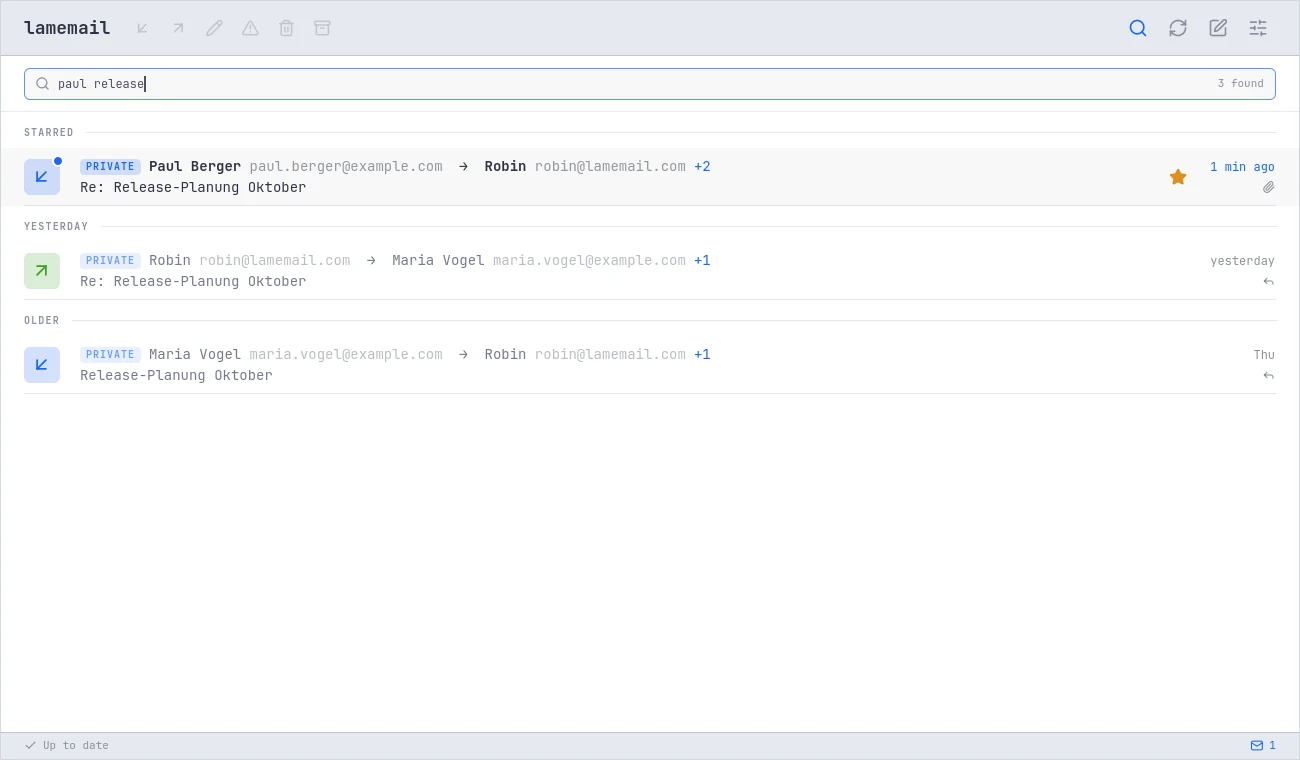
- to search 20,000 messages, names, subjects and text
- 0.1s
- file per message, readable by anything that reads text
- 1.json
- databases and search indexes to keep in sync
- 0
- every action a command, each with JSON output
- --json
Changes work like git commits.
send, move, flag and delete are recorded locally, instantly, even on a train without a signal. push delivers them once you are back online.
~/.lamemail ❯ lamemail journal
- send Re: Weekend to jane@example.com
- move Weekend → archive
- flag Q4 budget seen, flagged
- delete Build failed: reporting #318
~/.lamemail ❯ lamemail push
sent to jane@example.com
private: 4 pushed
lamemail ai suggest --reply
/ai and what you want to say.
Type /ai and an instruction, in a reply or a new mail. The model drafts it from the message, your history with these people and your own notes. You read it, change it, send it.
Account Security no-reply@secure-login-update.example
Your account will be suspended in 24 hours
The AI's assessment
The mail claims to come from your bank, but SPF and DKIM fail for its domain and it was sent through an unrelated server. The button leads to secure-login-update.example, and the text pushes you to act within 24 hours.
Switch it on and the model judges a mail you open unread: spam, phishing, fraud or malware, with the reason from its headers and its text.
Ollama on your machine, Claude Code, or any program that reads a prompt on stdin. Off until you pick one.
$ lamemail ai set ollama gemma4:12b
$ lamemail ai set custom 'llm -m mistral'
Give an account a folder of text files, a price list or a short profile, and the model uses them when it writes.
$ lamemail account context business \
    ~/context/business
An MCP server lets AI agents read mail and write drafts. Sending stays with you.
{"mcpServers": {"lamemail": {
"command": "lamemail", "args": ["mcp"]}}}-
Local. With a local model your mail never leaves your computer.
-
No tools. A mail that says "run this command" has nothing to run it with.
-
On request. Nothing goes to an AI unless you ask.
omarchy-theme-set
Your theme.
Live.
lamemail follows your Omarchy theme the moment you switch it, with its own light and dark themes everywhere else. This page does the same. Go on, pick one.
lamemail-ui
Ctrl, never a single key.
Every action sits on a Ctrl shortcut, so a stray keypress never archives anything. And when you did mean it, you have five seconds to take it back.
- EnterEsc
- open, go back
- /
- search
- CtrlN
- new message
- CtrlEnter
- send
- CtrlE
- archive
- CtrlDel
- trash
- CtrlU
- read, unread
- CtrlD
- star
- CtrlS
- save the draft
- CtrlZ
- undo
- CtrlR
- sync now
- Ctrl,
- settings
lamemail-ui --open private/inbox/…
One window. No three panes.
No folder tree, no preview pane, no ribbon. A feed of everything, newest on top. Open a message and the reply box is already waiting next to it.
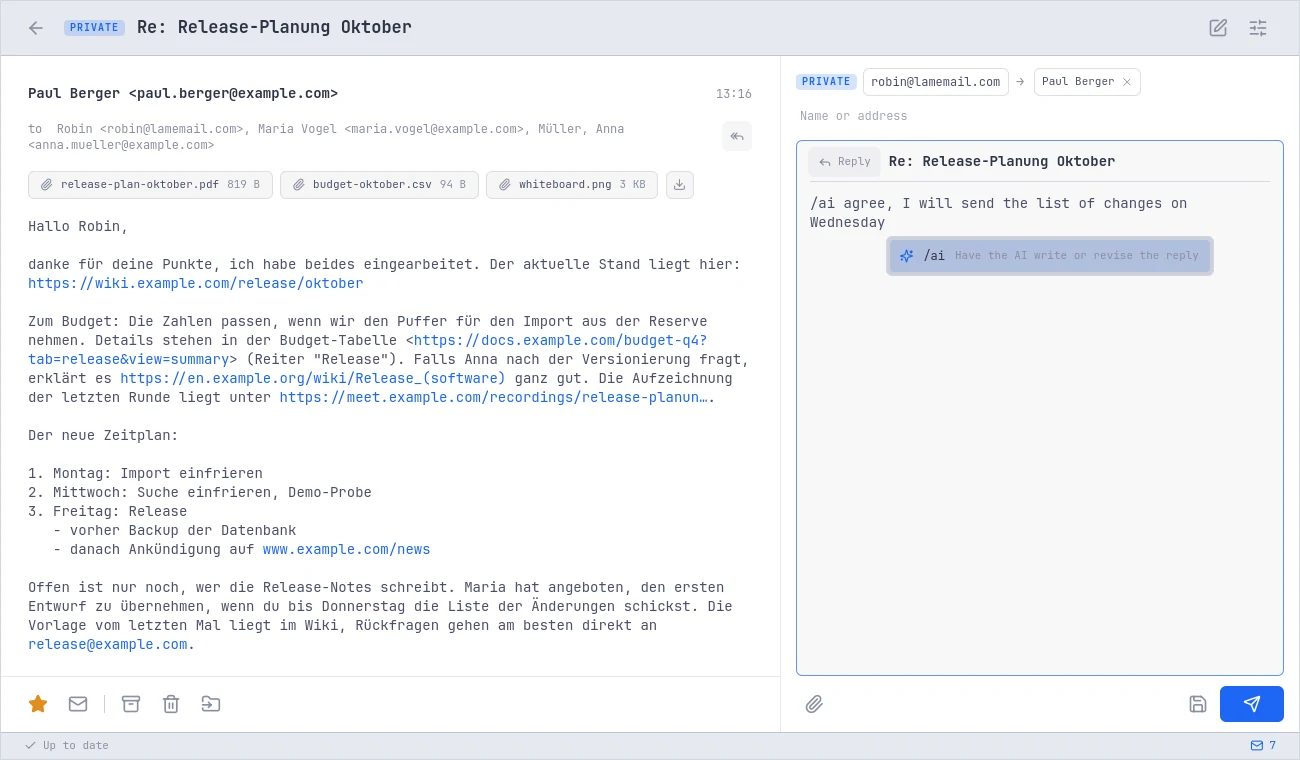
/ai and an instruction let the AI write it.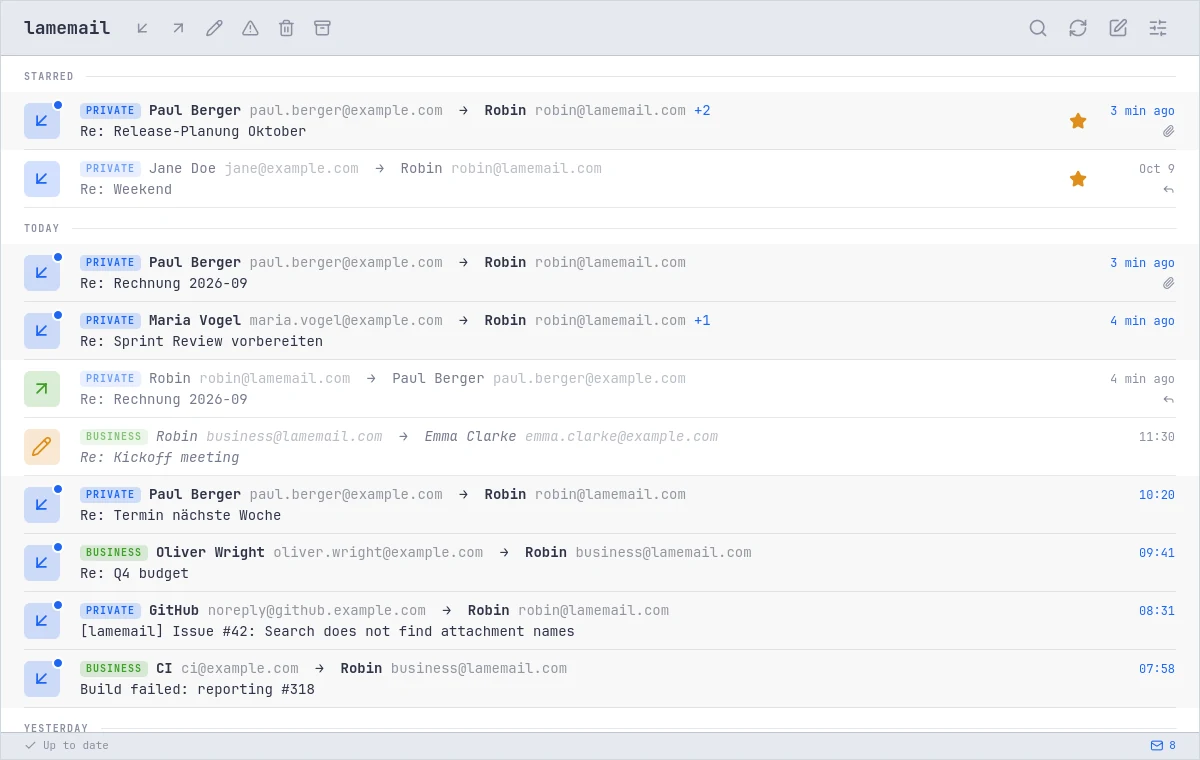
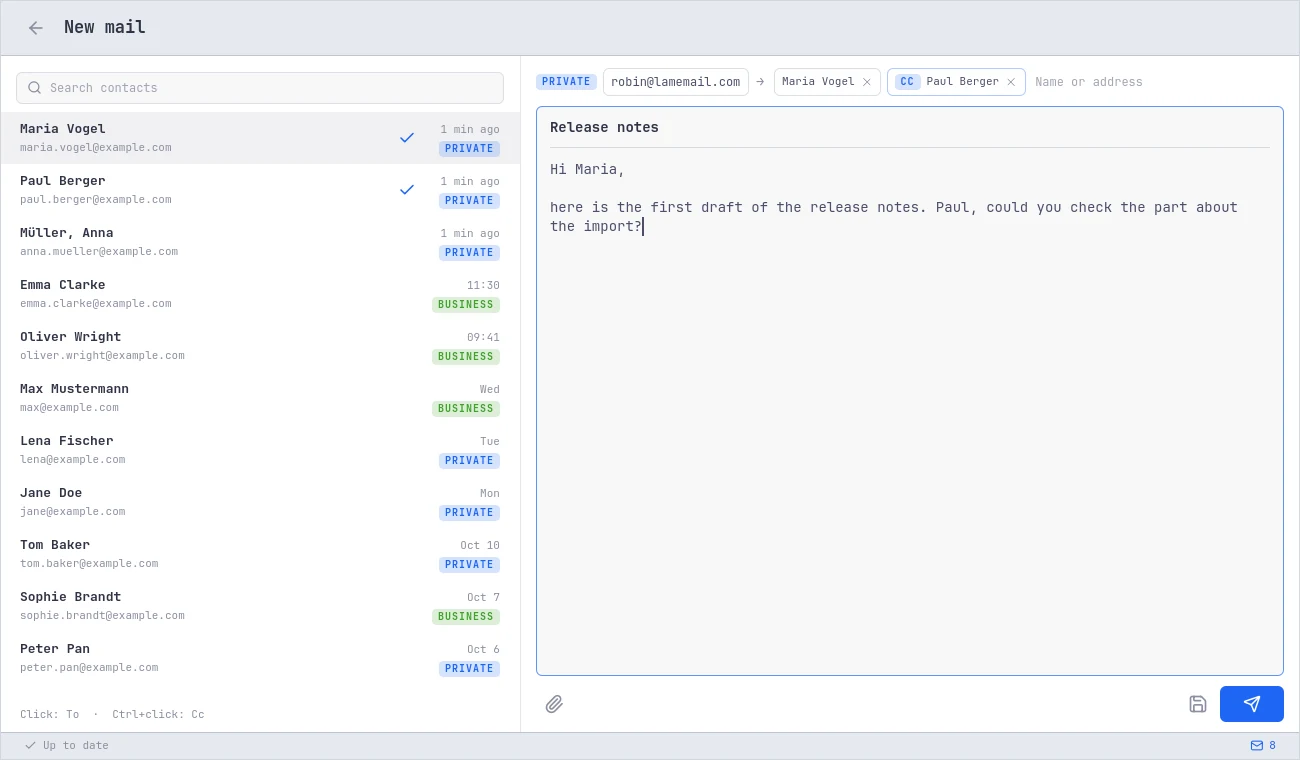
Ctrl+click adds Cc.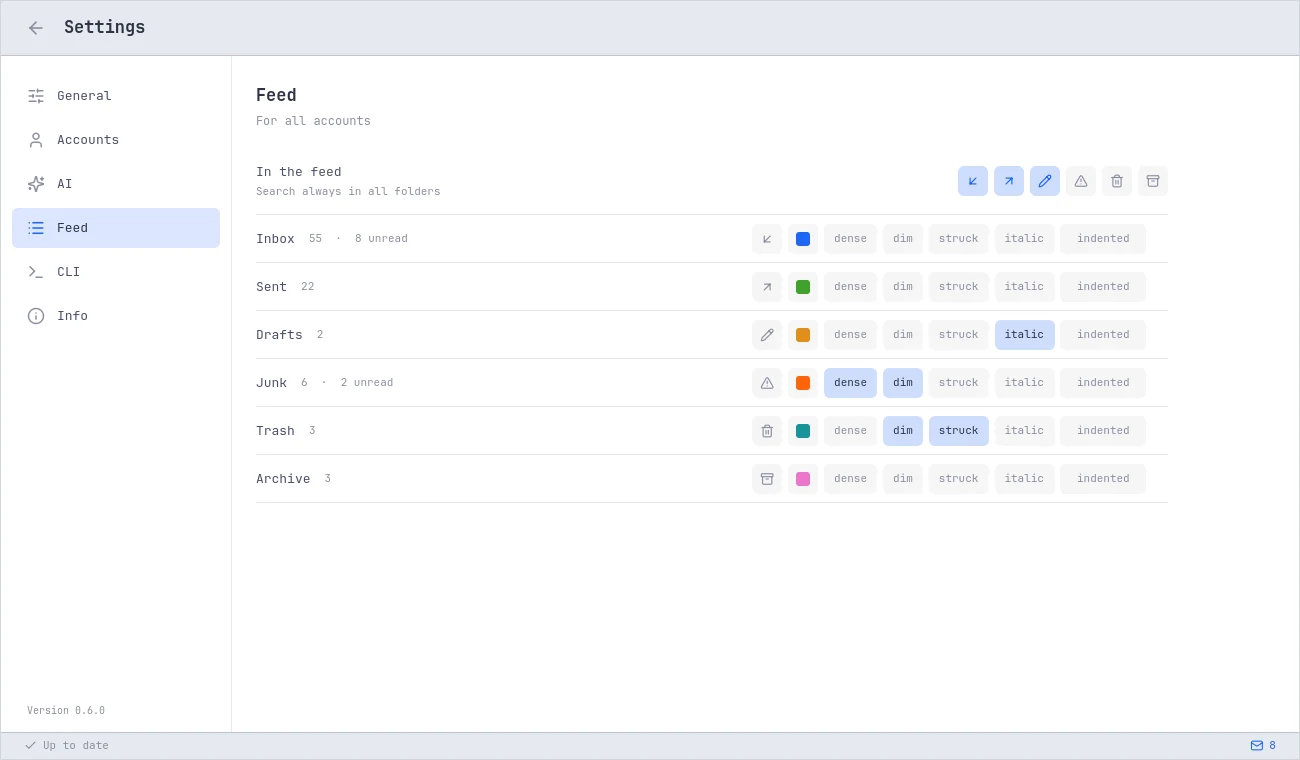
One feed All accounts in a single list, newest on top. Accounts differ by a tag on the row.
/Slash commands
/quote,/signature,/attach,/dateand/ai, right where you write.Live inbox New mail shows up the moment it arrives, with a desktop notification.
No HTML Every mail is plain text. Tracking pixels and remote images never load, and links show where they lead.
Works offline Changes wait in the journal and go out when you are back online.
Private Passwords live in the system keyring. Nothing goes to an AI unless you ask.
Native Rust for the mail, C++ and Qt 6 for the window. No web view, no Electron.
Your mail program Make it the default and every
mailto:link opens a new mail in lamemail.English and German The app and the command line speak both, by your locale.
lamemail init
Install.
lamemail runs on Linux. Every way needs a Secret Service keyring with secret-tool (package libsecret), which keeps the passwords.
On any x86_64 Linux with Qt 6.11 or newer. Puts lamemail and lamemail-ui into ~/.local/bin and adds the menu entry. Run it again to update.
$ curl -fsSL https://raw.githubusercontent.com/robcpc464/lamemail/master/install.sh | sh
To remove it: end the same line with sh -s -- --uninstall.
For distributions with an older Qt, such as Ubuntu: the AppImage brings its own. Started as it is, it is the window; called as lamemail, it is the command line.
$ curl -fLO https://github.com/robcpc464/lamemail/releases/latest/download/lamemail-x86_64.AppImage
$ chmod +x lamemail-x86_64.AppImage
$ ./lamemail-x86_64.AppImage
For the command line: ln -s "$PWD/lamemail-x86_64.AppImage" ~/.local/bin/lamemail
Needs Qt 6.9 or newer, base-devel and curl. Rust is installed inside the project folder, nothing system-wide.
$ git clone https://github.com/robcpc464/lamemail
$ cd lamemail
$ lamemail-cli/setup
$ ./dev install
On Arch: qt6-base qt6-declarative qt6-wayland qt6-svg. ./dev uninstall removes it again.
$ lamemail init
$ lamemail-ui
Open the settings with Ctrl+, and add an account: a short name, IMAP server, login, password and SMTP server. The first sync starts right away.
lamemail is young and runs on Linux only. Sign-in is by password over TLS, for IMAP and SMTP; Gmail needs an app password. OAuth2 is not supported yet, so accounts that insist on it won't work.
man lamemail
Why "lamemail"?
Because email is lame. Reading it is lame, writing it is lame, the clients are lame, and the protocol underneath is from 1986 and feels like it.
lamemail does not pretend otherwise. Also, I am bad at naming things.
lamemail does not accept pull requests. Bug reports and ideas are very welcome as issues.